

If you recently woke up and discovered that your mobile signal suddenly disappeared, you are not alone. Thousands of Pakistanis have been searching for answers after the government’s aggressive enforcement campaign targeting non-filers. The latest coordination between the Federal Board of Revenue (FBR), Pakistan Telecommunication Authority (PTA), and telecom operators has resulted in widespread SIM restrictions for individuals who remain outside the tax system.
Many users are urgently searching for How to Unblock Your SIM Card Online because a blocked SIM card can disrupt banking, digital payments, business communications, online verification codes, and everyday connectivity. In 2026, mobile numbers are no longer just communication tools. They are essential components of Pakistan’s rapidly expanding digital ecosystem.
For many people, the biggest challenge is not understanding why the SIM was blocked but knowing exactly what steps are required to restore service. Conflicting information on social media, misleading WhatsApp messages, and unofficial websites have created confusion for affected users.
This guide explains everything you need to know about How to Unblock Your SIM Card Online, including the FBR’s latest compliance procedures, how to verify your filer status, how to register online if required, and what to do if your SIM remains inactive after completing the process. By following the correct steps, you can avoid scams, protect your personal information, and restore your mobile services as efficiently as possible.
Key Takeaways
If your mobile number has been affected by compliance-related restrictions, the most effective approach is to follow official procedures carefully.
Remember these essential steps:
- Verify your tax status.
- Confirm whether you appear on the Active Taxpayer List.
- Complete any required registration processes.
- Submit accurate information.
- Allow time for synchronization between systems.
- Contact your telecom operator if issues continue.
- Escalate through official support channels when necessary.
- Protect your CNIC and personal data from scammers.
Understanding the FBR SIM Block Rules
Why SIM Cards Are Being Blocked
The government’s digital enforcement framework relies on data sharing between several agencies. The FBR maintains taxpayer records, while the PTA regulates telecommunications across Pakistan. Mobile operators such as Jazz, Zong, Telenor, and Ufone receive compliance instructions based on verified government data.
When a person is identified as a non-filer under applicable regulations, their information may be flagged within integrated systems. Once verified, telecom operators can receive instructions to restrict certain services associated with the registered CNIC.
How the Technical Integration Works
The process is largely automated. Government databases exchange compliance information through secure digital channels. Tax records maintained by the FBR are compared against registered mobile subscriber information held by telecom operators.
The workflow generally follows these stages:
- Taxpayer status verification.
- Identification of non-compliant records.
- Secure data synchronization.
- Telecom operator notification.
- Service restriction implementation.
- Automatic review after compliance updates.
This digital integration significantly reduces manual processing and enables faster enforcement actions.
Filer vs Non-Filer in 2026
A filer is an individual whose tax information is properly registered and whose required returns have been submitted according to applicable regulations.
A non-filer is generally someone who is not appearing on the Active Taxpayer List (ATL) or has not completed required filing obligations.
The distinction has become increasingly important because filer status can affect:
- Telecom services
- Banking transactions
- Vehicle purchases
- Property transactions
- Investment activities
- Certain government-related services
As Pakistan continues expanding digital governance initiatives, maintaining compliant tax records is becoming increasingly important for uninterrupted access to essential services.
Step-by-Step Technical Guide: How to Unblock Your SIM Card Online
Step 1: Check Your Tax Status
Before taking any action, confirm whether your name appears on the Active Taxpayer List.
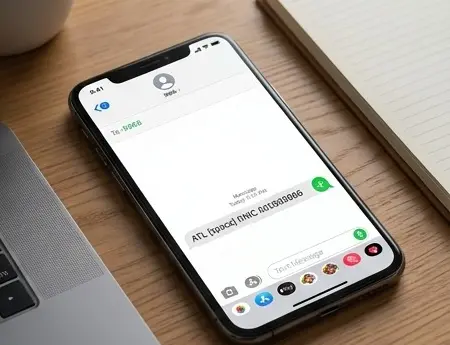
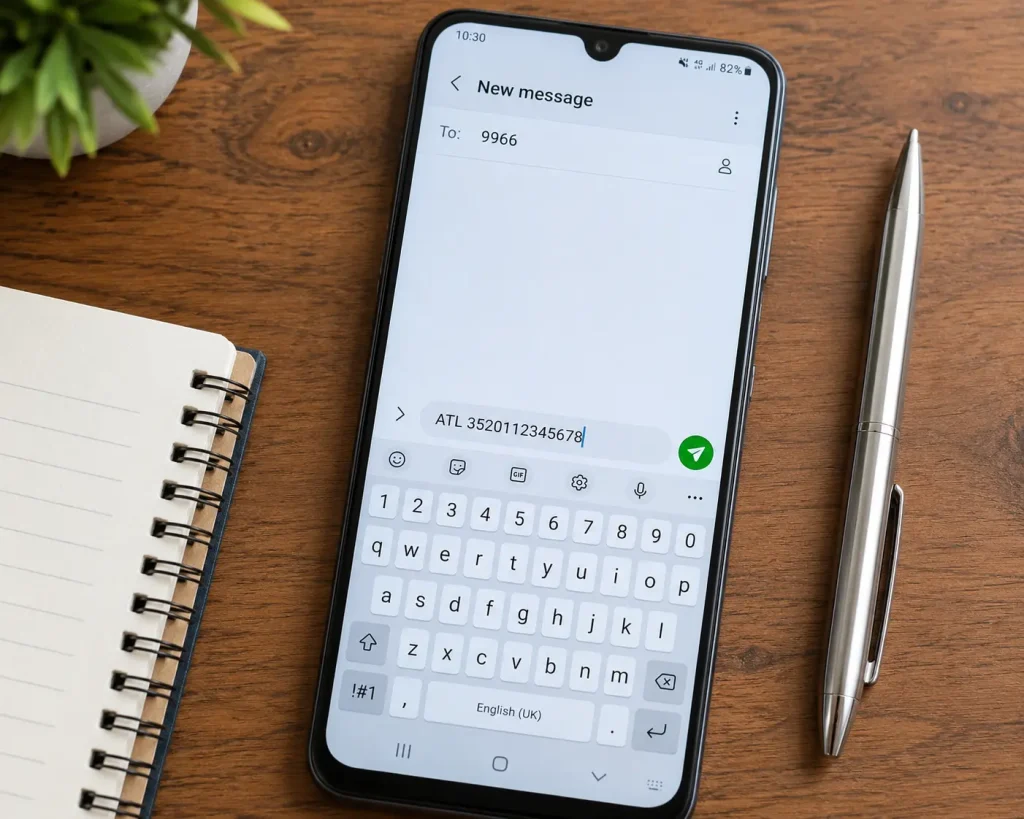
Option 1: Using the 9966 SMS Service
Send the following message:
ATL [space] CNIC Number
Example:
ATL 1234512345671
Send it to 9966.
Within a short period, you should receive information regarding your filer status.
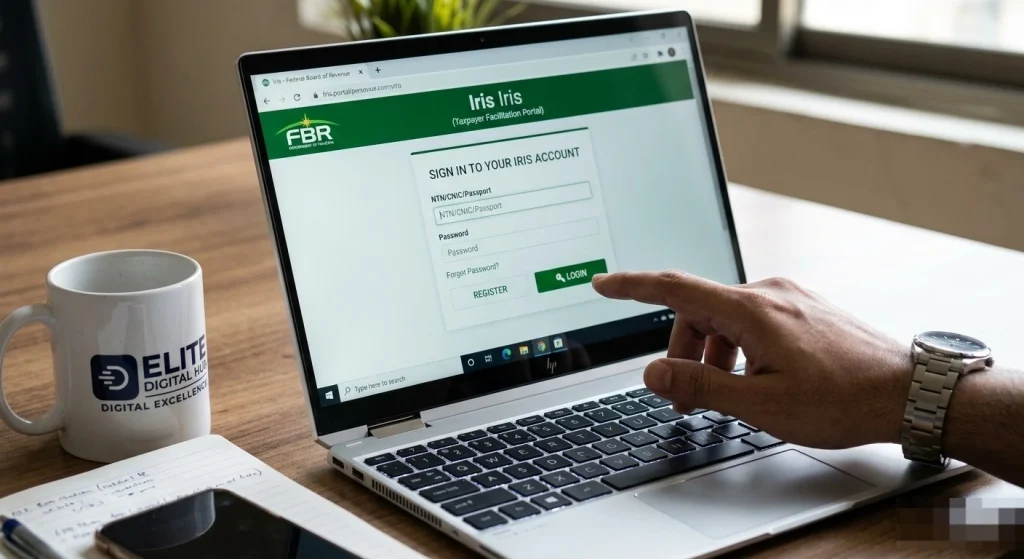
Option 2: Check Through the Iris Portal
You can also verify your status online through the FBR’s Iris system.
Steps include:
- Open the official portal.
- Log in using your credentials.
- Access taxpayer information.
- Review your filing status.
- Verify whether you appear on the ATL.
This method often provides more detailed information than SMS verification.
Step 2: Register as a Tax Filer Online
If your status indicates that you are not listed appropriately, the next step is registration.
Creating an Account
You will typically need:
- CNIC
- Mobile number
- Email address
- Basic personal details
After verification, create your account credentials and complete the registration process.
For Students
Students with limited income should still follow the official registration process when applicable. Accurate disclosure is essential.
For Freelancers
Freelancers should maintain proper records of earnings, client payments, and digital transactions. Organized documentation can simplify filing requirements.
For Salaried Individuals
Employees should gather salary certificates, tax deduction records, and supporting documentation before filing.
Step 3: Submit Required Information
After registration, complete all required declarations accurately.
Key recommendations include:
- Double-check CNIC information.
- Verify contact details.
- Review all submissions carefully.
- Keep digital copies of documents.
- Save confirmation receipts.
Errors can delay processing and verification.
Step 4: Wait for Data Synchronization
Many users expect immediate restoration after filing. In reality, multiple databases must synchronize before telecom services can be updated.
The verification process may include:
- FBR validation.
- Status update processing.
- Database synchronization.
- PTA verification.
- Telecom operator implementation.
- Network activation.
Depending on processing volumes, activation timelines may vary.
Step 5: Confirm SIM Reactivation
After receiving confirmation of compliance updates:
- Restart your device.
- Enable and disable airplane mode.
- Reinsert the SIM card.
- Perform a network search.
- Verify outgoing and incoming services.
In many cases, connectivity is restored automatically.
Step 6: Contact Your Mobile Operator
If service remains unavailable after reasonable processing time, contact customer support.
Prepare the following:
- CNIC number
- Mobile number
- Filing confirmation
- Reference numbers
- Screenshots if available
Providing complete information can accelerate troubleshooting.
Step 7: Escalate Through Official Channels
If the issue persists, submit a formal complaint through official telecom support channels.
Include:
- Compliance evidence
- Filing confirmation
- SIM ownership details
- Contact information
- Timeline of events
Detailed submissions often result in faster resolution.
Step 8: Monitor Status Updates
Continue monitoring:
- SMS notifications
- Email communications
- Tax portal updates
- Telecom service alerts
Regular monitoring helps identify any remaining issues quickly.

Pitfalls, Traps, and Fake Online Portals to Avoid
Whenever large-scale enforcement actions occur, scammers attempt to exploit confusion. Individuals searching for immediate SIM restoration are particularly vulnerable.
Beware of Fake Unblocking Services
Many unofficial websites claim they can instantly restore blocked SIM cards for a fee. These services often request sensitive information such as:
- CNIC copies
- Biometric details
- Banking information
- One-time passwords
- Portal credentials
Legitimate restoration requires compliance through official procedures rather than unauthorized shortcuts.
Avoid WhatsApp Agents
Fraudsters frequently advertise SIM restoration through social media groups and messaging platforms. Promises of guaranteed activation without tax compliance should be treated as major warning signs.
Protect Your CNIC
Follow these cybersecurity practices:
- Share documents only through official platforms.
- Never reveal passwords.
- Avoid unknown links.
- Enable account security features.
- Verify website authenticity before entering information.
Verify Official Sources
Before providing personal information, confirm that the website belongs to an authorized government or telecom organization. Fraudulent portals often imitate official branding to deceive users.
Watch for Urgent Payment Requests
Scammers frequently pressure victims into making immediate payments. Official procedures typically follow documented processes and verifiable communication channels.
Maintaining strong cyber hygiene significantly reduces the risk of identity theft and financial fraud.
Future Outlook: The Digitalization of Pakistan’s Economy
Pakistan’s digital transformation continues to accelerate. Government agencies increasingly rely on interconnected databases to improve compliance, transparency, and service delivery.
Mobile numbers, banking accounts, digital wallets, and taxpayer records are becoming more integrated than ever before. This integration enables faster verification processes while also increasing accountability.
For citizens, this means that proactive compliance is becoming increasingly important. Understanding these systems today can help avoid complications tomorrow.
Frequently Asked Questions About SIM Unblocking
How long does it take for a SIM card to be unblocked after becoming a filer?
The timeline varies depending on system synchronization between the FBR, PTA, and your telecom operator. In many cases, updates begin processing within a few days after filer status is reflected in government records. However, delays may occur during periods of heavy verification activity.
Users should avoid repeatedly submitting the same request because duplicate submissions can sometimes create confusion during the verification process. Instead, maintain records of all confirmations and monitor official notifications.
Can multiple SIM cards be affected?
Yes. If several SIM cards are registered against the same CNIC, restrictions may impact more than one number depending on applicable enforcement policies and telecom implementation procedures.
For this reason, individuals should verify the status of all registered numbers rather than checking only a single SIM.
What if my filer status is active but the SIM still does not work?
This situation can occur when database updates have not yet fully propagated across all connected systems.
Recommended actions include:
- Restarting the mobile device.
- Rechecking network availability.
- Contacting customer support.
- Providing ATL verification evidence.
- Requesting escalation to technical support teams.
Can someone else unblock the SIM on my behalf?
Officially, the registered owner of the SIM should complete all compliance and verification requirements. Be cautious of anyone claiming they can bypass legal procedures or activate a blocked SIM through unofficial methods.
Will changing the SIM card solve the issue?
No. The restriction is generally connected to verified records and subscriber information rather than the physical SIM itself. Replacing the card without resolving the underlying compliance issue is unlikely to restore service.
Best Practices to Prevent Future SIM Restrictions
Rather than reacting after service interruption occurs, users should focus on preventative compliance.
Keep Tax Records Updated
Maintain organized records of:
- Income documentation
- Payment records
- Banking statements
- Business invoices
- Employment certificates
Proper documentation simplifies future filing obligations.
Monitor Official Announcements
Government regulations can evolve rapidly. Staying informed allows users to take action before enforcement measures impact essential services.
Follow updates from:
- FBR announcements
- PTA notices
- Telecom operator alerts
- Official government communication channels
Verify Personal Information Regularly
Incorrect records can create unnecessary complications.
Periodically confirm:
- CNIC details
- Registered mobile numbers
- Email addresses
- Contact information
Accurate records reduce verification delays.
Avoid Unauthorized SIM Registrations
Ensure that all numbers linked to your CNIC are legitimately registered and actively monitored.
Unknown or improperly registered numbers can create compliance concerns and additional administrative challenges.
Why Mobile Connectivity Matters More Than Ever
The importance of an active mobile number extends far beyond voice calls and text messages.
Today, mobile numbers are connected to:
- Online banking authentication
- Digital wallets
- E-commerce accounts
- Government verification systems
- Educational platforms
- Freelance marketplaces
- Business communication channels
A blocked SIM can disrupt multiple aspects of daily life simultaneously.
For students, it may interfere with educational notifications and account verification. For freelancers, it can delay client communication and payment processing. For businesses, it may affect customer support, marketing activities, and operational coordination.
As Pakistan continues moving toward a digitally connected economy, uninterrupted access to telecommunications services becomes increasingly valuable.
Following these steps can significantly improve the likelihood of successful SIM restoration while minimizing delays and security risks.
For readers looking for a quick recap, How to Unblock Your SIM Card Online starts with checking ATL status and confirming whether your CNIC appears on the Active Taxpayer List. If you are not listed, How to Unblock Your SIM Card Online requires completing registration through the official FBR system and submitting accurate personal information. After filing, How to Unblock Your SIM Card Online depends on successful synchronization between FBR records, PTA verification systems, and your telecom operator’s activation database.
Many users ask whether How to Unblock Your SIM Card Online works immediately after filing. In practice, How to Unblock Your SIM Card Online may take additional processing time because government and telecom databases must exchange updated compliance information. If the SIM remains inactive, How to Unblock Your SIM Card Online includes contacting Jazz, Zong, Telenor, or Ufone support and providing your ATL confirmation details.
Security is equally important when researching How to Unblock Your SIM Card Online. Never share CNIC copies, passwords, or one-time codes with unofficial agents claiming they can complete How to Unblock Your SIM Card Online through shortcuts or illegal activation methods. The safest approach to How to Unblock Your SIM Card Online is always to use official FBR, PTA, and telecom channels.
For students, freelancers, and salaried individuals, How to Unblock Your SIM Card Online follows the same core sequence: verify ATL status, complete filing if required, wait for synchronization, and confirm network restoration. If activation is delayed, How to Unblock Your SIM Card Online may require a manual escalation request with your mobile operator’s technical support team. Keeping copies of filing receipts and verification messages can make How to Unblock Your SIM Card Online much easier to resolve.
To summarize the process clearly, How to Unblock Your SIM Card Online means verify ATL status, file through the official FBR portal if necessary, wait for PTA and telecom synchronization, and then confirm network restoration through your operator. Following these official steps ensures How to Unblock Your SIM Card Online is completed safely, legally, and without exposing your CNIC or banking information to scammers.
Quick Answers About How to Unblock Your SIM Card Online
Many readers searching for How to Unblock Your SIM Card Online want the fastest possible solution. The first step in How to Unblock Your SIM Card Online is verifying your tax filer status through official government channels.
If your ATL status is inactive, How to Unblock Your SIM Card Online requires completing the necessary tax registration process. Once registration is complete, How to Unblock Your SIM Card Online involves waiting for database synchronization between the FBR, PTA, and your telecom operator.
A common question about How to Unblock Your SIM Card Online is whether activation happens instantly. In most cases, How to Unblock Your SIM Card Online takes time because verification systems must update across multiple platforms.
For Jazz users, How to Unblock Your SIM Card Online follows the same procedure as other networks. For Zong customers, How to Unblock Your SIM Card Online still depends on successful filer verification and network updates.
Telenor subscribers often ask whether How to Unblock Your SIM Card Online can be completed without filing taxes. The answer is no because How to Unblock Your SIM Card Online requires compliance through official channels.
Ufone users researching How to Unblock Your SIM Card Online should also avoid third-party agents. The safest method for How to Unblock Your SIM Card Online is always through legitimate government and telecom systems.
If your SIM remains inactive, How to Unblock Your SIM Card Online may require contacting customer support and requesting a manual review. Understanding How to Unblock Your SIM Card Online can help reduce delays and prevent unnecessary complications.
As digital enforcement expands across Pakistan, How to Unblock Your SIM Card Online will remain an important topic for taxpayers and mobile users. Learning How to Unblock Your SIM Card Online today can help you maintain uninterrupted access to communication and digital services.
Ultimately, How to Unblock Your SIM Card Online is a straightforward process when you follow official procedures. By understanding How to Unblock Your SIM Card Online, you can restore service safely, legally, and efficiently.
Understanding How to Unblock Your SIM Card Online is essential for anyone affected by recent compliance enforcement measures. While losing mobile connectivity can be frustrating, the restoration process becomes much easier when approached systematically.
Start by verifying your filer status through official channels. If necessary, complete registration requirements, submit accurate information, and allow sufficient time for government and telecom databases to synchronize. If problems persist, contact your mobile operator and escalate through official support channels.
Most importantly, avoid unauthorized agents and suspicious websites that promise instant activation. Protect your CNIC, verify all communication sources, and rely only on legitimate procedures.
As Pakistan continues expanding its digital governance framework, maintaining compliant records will become increasingly important for uninterrupted access to communication, financial, and government services.
Are you experiencing delays in your SIM activation after filing? Post your cellular network name and error message in the comments below, and our Elite Digital Hub team will guide you!
For live digital updates, technical troubleshooting, and direct support, connect with us on our official Facebook Page .




Leave a Reply